The blank page eats the week
You know your audience, but turning that knowledge into a useful, structured guide takes more time than expected.


Generate the ebook, polish the PDF, publish the opt-in form, deliver the download, and see the results from one connected workspace.
Limited Time Offer: Only A One Time Investment Today.
Get Started With Lead Magnet Forge - Instant AccessAI handles the repetitive production work while you keep control of the audience, promise, content, design, and final publication.
Simple systems for focused work without burning out.
LEAD MAGNET FORGEYou know your audience, but turning that knowledge into a useful, structured guide takes more time than expected.
Even good content loses perceived value when the cover, chapters, and calls to action feel disconnected.
Forms, PDF links, email delivery, and lead tracking end up scattered across tools you have to reconnect manually.
Instead of stitching together an AI writer, document editor, design tool, form builder, file host, delivery service, and analytics dashboard, you move through one guided workflow built specifically for lead magnets.
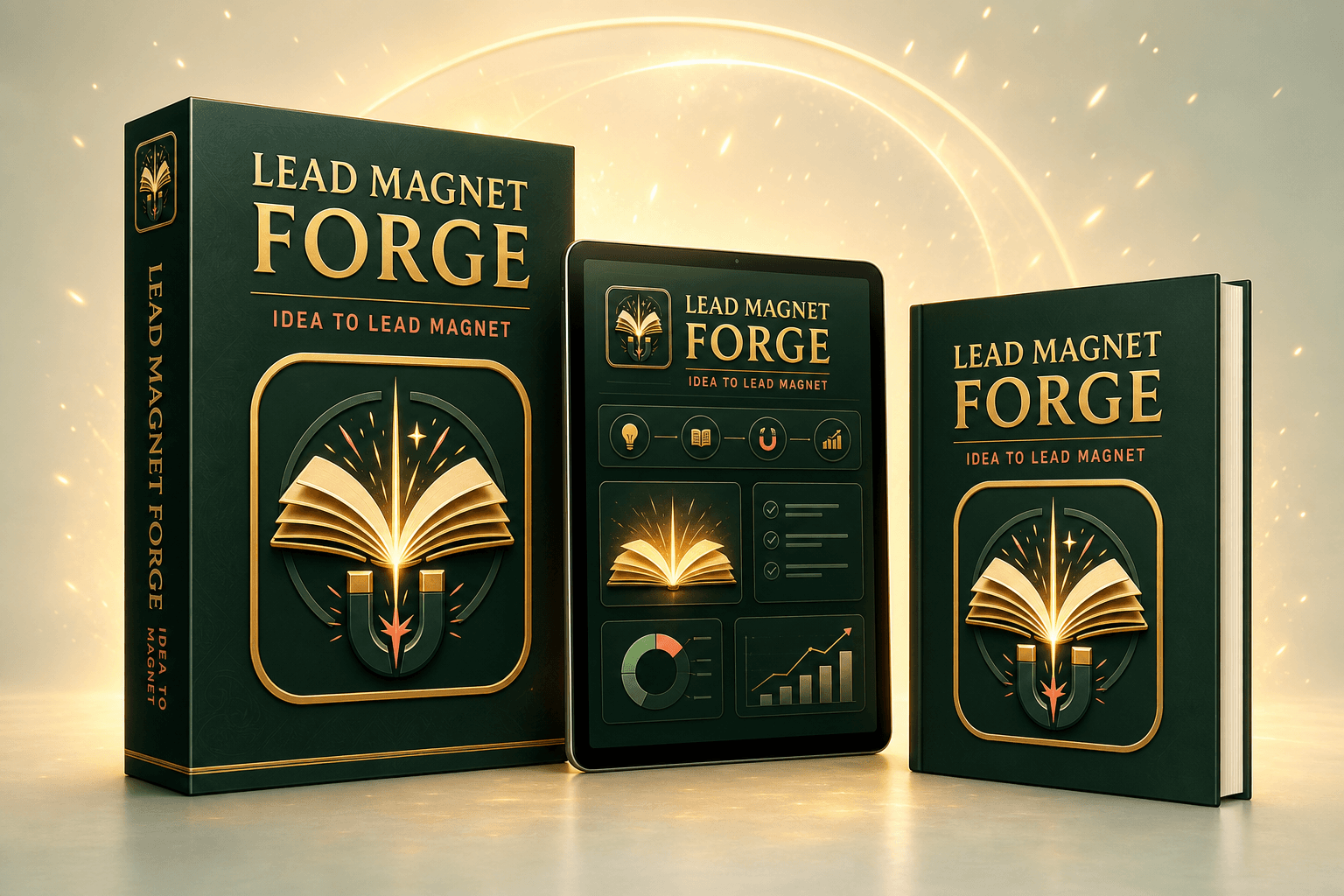
You already know that a useful free guide can introduce your work, answer an urgent question, and give the right reader a reason to join your email list. The strategy makes sense. The problem is everything that has to happen between the idea and the moment someone actually downloads the finished asset.
First you need a promise that is specific enough to attract attention. Then you need an outline that teaches something meaningful without becoming a 100-page book. You need examples, transitions, chapter titles, action steps, a conclusion, and a call to action. After the writing comes formatting, cover design, PDF export, file hosting, form creation, delivery email, embed code, and lead tracking.
Each task looks manageable by itself. Together, they create enough friction to keep a valuable campaign in draft mode for weeks. You start researching templates. You rewrite the introduction. You change the title. You test another design tool. You tell yourself you will finish the delivery automation tomorrow. The lead magnet that was supposed to grow your list quietly becomes another unfinished folder.
Ignoring that delay has a real cost. Your social posts and paid traffic have nowhere focused to send interested visitors. Potential subscribers leave after consuming one piece of content because there is no clear next step. Your best advice remains scattered across calls, notes, videos, and messages instead of being packaged into an asset that can work every day.
The answer is not to generate a huge block of generic text and call it an ebook. The answer is to connect the essential decisions - audience, promise, structure, writing, presentation, capture, and delivery - inside one deliberate workflow. That is the insight behind Lead Magnet Forge.
Instead of asking you to become a prompt engineer, designer, developer, and email technician, the application guides you through the decisions only you can make. It then handles the repetitive production work, keeps the assets connected, and gives you a clear place to improve what was created.
The workflow keeps content, design, capture, and delivery connected from the beginning.
Tell Lead Magnet Forge what the guide should help readers achieve, who it is for, and how it should sound.
One guided workflow - no disconnected filesOpen the generated outline and five chapters, then edit titles, examples, explanations, and calls to action.
One guided workflow - no disconnected filesA calmer workday begins with a clear plan for attention, energy, and recovery. Use this framework to protect your most valuable hours...
Start with one focused block, remove the most common distraction, and choose a realistic finish line.
Select a coordinated template, palette, font, and layout density while previewing the actual ebook content.
One guided workflow - no disconnected filesCustomize the opt-in form, copy the embed code, publish the PDF, and monitor real views, leads, and delivery status.
One guided workflow - no disconnected filesEnter your email to receive the practical guide.
you@example.comWatch the real product demonstration and see the complete application from the creation brief through PDF publishing, embed setup, and lead tracking.
No more hunting for the latest PDF, the matching embed code, or the leads captured by a particular guide.
 Lead Magnet Forge
Build a Calmer Remote WorkdayRemote productivity · Published
184 leadsMeal Planning Without the StressHealth & wellness · Published
64 leadsEvery core feature includes a visual example built from the actual Lead Magnet Forge interface.
A guided brief becomes a structured five-chapter guide written for your audience, promise, and preferred tone.
Edit chapter titles and content before publishing. Your lead magnet never becomes a locked, uneditable AI output.
Choose one practical action your reader can complete today...
Choose a coordinated cover and PDF design so the finished guide feels like a real brand asset - not a pasted document.
Copy a responsive embed form into any page that accepts HTML and customize its headline, CTA, success message, and color.
Capture leads, send the PDF through the included Resend allowance, and monitor delivery from the same workspace.
Track real form views, leads, opt-in rate, and confirmed deliveries for every published ebook.
A vague prompt such as “write an ebook about fitness” is not a reliable campaign strategy. The creation brief asks what the guide should help people do, who it is for, and how the writing should sound. Those answers give the generation pipeline a practical target. Friendly can feel warm and encouraging. Expert can emphasize confident explanation and evidence-aware language. Casual can make the lesson more conversational. The goal is not cosmetic tone switching; it is to make the same core expertise feel appropriate for the reader you want to attract.
Because the brief is stored with the generated ebook, the topic and intended audience remain part of the asset rather than disappearing after the first request.
Lead Magnet Forge first creates a structured outline and then develops the chapters around that plan. This helps the guide move from problem awareness to practical action instead of repeating the same surface-level advice five times. The application validates the generated structure and content before presenting it, and the chapter editor gives you direct control over the final wording.
You can revise titles, add a personal example, clarify a recommendation, remove a claim you do not want to make, or adapt the call to action to your offer. The value of AI here is speed and structure. The value of the editor is ownership and relevance.
A lead magnet is judged before it is read. The publishing workflow lets you choose a visual direction and preview the ebook as a real PDF rather than assuming a text document will look acceptable after export. Content is taken from the ebook you created, so the downloaded file is not a fixed sample pretending to be your guide.
Your design selection, palette, font choice, and layout density stay connected to the ebook. You can save the design, inspect the preview, download the current PDF, and return later when the content or brand evolves.
Every published ebook can have its own opt-in form headline, button text, success message, and color theme. A live preview shows what visitors will see while you make those decisions. When the form is ready, the application generates an iframe snippet that can be pasted into an HTML block on your site or landing page.
The code points to the correct ebook and its current settings. That connection matters: the visitor is not submitting a generic form with no relationship to the promised download. The lead record, ebook, analytics, and delivery path stay attached.
The dashboard is designed to answer practical questions. How many people viewed the form? How many subscribed? What is the opt-in rate? Was the guide delivered? Which ebook produced the lead? Instead of filling cards with demo values, the application reads stored form-view and lead events from Supabase when deployed.
You can filter and review contacts while keeping personal and agency-owned assets logically separated when the relevant license is active. A failed delivery remains visible instead of silently being counted as a success.
The Front End includes a monthly allowance of up to 100 Resend fallback deliveries. That means a new customer can publish a form and deliver the requested guide without first building a complex ESP integration. Delivery status is recorded so the dashboard can distinguish captured, delivered, failed, and other meaningful states.
When your list and campaign volume grow, the optional Auto-ESP Sync upgrade can connect supported email platforms and route leads into your own automation. The core offer remains useful on day one; the upgrade supports a more advanced sending operation later.
Enter your email and get instant access.
Give subscribers a focused opt-in experience and a PDF that makes your expertise easier to trust, save, and share.

Package the framework you explain repeatedly into a focused guide. Use it before a discovery call, alongside a workshop, or as the next step after someone discovers your content. A useful lead magnet helps prospects understand how you think before you ask them to consider a paid engagement.

Turn a recurring audience question into an evergreen reason to subscribe. Instead of relying only on “join my newsletter,” offer a concrete result that gives the reader immediate value and naturally introduces the topics your future emails will continue exploring.

Create a buyer-aware guide that solves the first part of a larger problem. The ebook can educate prospects, reduce confusion, and prepare them to understand why your complete course, software, membership, or training is the logical next step.

Build a local guide, checklist-style resource, planning handbook, or educational mini-book that captures interest beyond a basic contact form. Track which publication attracts attention and improve the campaign using real lead and view data.
It gives you the production and capture system. You still choose the audience, bring visitors to the form, review the generated content, and follow up responsibly. That distinction is important: the application helps you create and operate a better lead magnet, but it does not manufacture trust, expertise, or customer demand without your participation.
These implementation resources will be available in your customer workspace at launch.
Skip topic paralysis with 50 focused prompts organized for coaches, creators, consultants, course sellers, and service businesses.
Clarify the audience, urgent problem, promise, tone, examples, and next offer before generating so the first draft starts stronger.
Follow a platform-neutral checklist for adding your form, checking mobile layout, testing submissions, and confirming PDF delivery.
Use a simple four-week campaign plan to promote the same lead magnet through posts, emails, partnerships, profiles, and existing traffic.
Review the promise, cover, opt-in copy, traffic match, delivery status, and follow-up path with a repeatable improvement scorecard.
Total Practical Implementation Value: $175. Included free for customers who get Lead Magnet Forge today.
Get Lead Magnet Forge Now For Just $37Everything in the core Front End license is available inside one clean workspace.
Secure checkout processed by JVZoo
Still need help? Email support@leadmagnetforge.com.
No. Lead Magnet Forge is designed for people who understand their audience but do not want to spend days outlining, drafting, formatting, and troubleshooting a PDF. The guided brief gives the writing pipeline enough direction to create a useful first draft, while the design workflow turns that content into a coordinated publication. You remain in control: every chapter title and paragraph can be edited before or after publishing, and you choose the cover and presentation. The application removes the intimidating starting work without taking ownership of your ideas away from you.
The Front End license includes the core five-chapter ebook generator, the chapter editor, My Ebooks library, PDF cover and publishing workflow, customizable embed form, copy-ready iframe code, lead dashboard, per-ebook analytics, and the included Resend fallback delivery allowance. It is the complete path from a short content brief to a published lead magnet that can collect real email addresses. Optional upgrades add unlimited creation, protected ESP delivery with recovery, retry, and health monitoring, additional template systems, email sequences, and agency workspaces, but none of those upgrades are required to create and publish your first lead magnet.
The Front End license includes up to five personal ebook creations per calendar month. This is enough to build a focused starter library, test several audience promises, or publish a new lead magnet for different campaigns. Your existing ebooks remain in My Ebooks and can be edited, republished, downloaded, and managed after the month in which they were created. If your strategy requires ongoing high-volume production, OTO 1 unlocks unlimited personal creation plus protected routing into a supported ESP, including a Lead Recovery Queue, Automatic Retry, and ESP Health Monitor.
Yes. Lead Magnet Forge generates a responsive iframe snippet that can be pasted into WordPress, Webflow, Leadpages, funnel builders, page builders, and other platforms that accept an HTML embed. You can adjust the headline, button text, success message, and color before copying the code. Because the form and its settings remain attached to the ebook, you can return later, make a change, and retrieve the current code without rebuilding the campaign from scratch.
Yes. Publishing is not a dead end. Open the ebook from My Ebooks, edit its chapter content, adjust the embed form, or return to the PDF design screen. When your changes are ready, republish so the current edition reflects your improvements. This is useful when your offer changes, you learn more about your audience, you want to correct a detail, or you simply want the guide to stay aligned with your brand. Draft and Published statuses make it clear which ebooks are still being prepared and which are live.
No for normal customer use. AI generation is provided through the application, so customers do not need to understand models, prompts, tokens, or API dashboards. You complete a clear brief and the application handles the generation workflow. The quality of the result still depends on the specificity of your topic and audience, which is why the brief guides you to describe the transformation rather than entering only a vague niche. You can then edit the generated draft so it reflects your experience and point of view.
The Front End focuses on capturing the lead and delivering the requested ebook through the included fallback delivery route. It does not secretly run a promotional campaign on your behalf. The optional Email Sequences upgrade helps you generate, edit, save, and copy a coordinated follow-up campaign into your own ESP. OTO 1 routes captured leads into supported email platforms and adds recovery, automatic retry, and ESP health monitoring, while you retain control of consent, automation, sending, and ongoing subscriber communication.
Yes. The PDF is an asset you can download and use in your own campaigns. You can link to it from a thank-you page, attach it to your chosen delivery workflow where appropriate, share it with a collaborator, or keep an archived edition. The platform also keeps the source ebook associated with its design and lead form, so downloading the file does not prevent you from returning to edit or republish it later.
Each submitted lead is associated with the correct ebook and appears in the Leads dashboard. You can see the contact email, lead magnet, delivery route, status, and capture time. Per-ebook analytics summarize total leads, form views, opt-in rate, delivered records, and failed deliveries based on real stored events rather than decorative counters. When Supabase is connected, these records persist in your account database and can be managed across sessions and devices.
The Front End license is built for your own lead magnets. You can absolutely use it to understand the workflow and create assets for your business. If you plan to manage multiple client brands, separate their ebooks and assets, approve deliverables, and share a branded delivery portal, the optional Agency License is the purpose-built upgrade. Keeping client work in dedicated workspaces prevents ownership, leads, embed forms, and final deliverables from becoming mixed with your personal library.
Treat generation as a high-quality starting point, not a command to publish without review. You can edit every chapter directly, change titles, refine examples, add your own experience, and remove anything that does not fit your audience. A specific brief usually produces a more relevant result than a broad request. The practical advantage is that you are improving a complete structure instead of staring at an empty document and trying to invent the structure, sequence, teaching points, and wording at the same time.
The launch offer is presented with a 30-day satisfaction promise. If Lead Magnet Forge does not fit the lead magnet workflow described on this page, contact support within the stated guarantee period and follow the refund instructions associated with your JVZoo purchase. Final refund wording and eligibility will follow the terms displayed at checkout. Keep your receipt because the JVZoo transaction information is used to identify the purchase and the product access connected to it.
You can, but you would still be responsible for designing the entire workflow around them. A general chatbot does not automatically understand the required ebook structure, validate the response, save the result as the correct account asset, connect it to a PDF publication, generate its opt-in form, record real form views, capture leads, and show delivery status. A design tool may make a beautiful document, but it does not know which subscriber requested it or whether delivery succeeded. Lead Magnet Forge is valuable because these stages share data and remain connected. It reduces the copying, naming, exporting, relinking, and troubleshooting that often takes longer than the initial generation itself.
Start with a specific problem your ideal customer already knows they have and a result they would value soon. A narrow promise such as planning five healthy lunches in 30 minutes is easier to understand than a broad promise such as becoming healthier. The best topic usually sits one step before your paid offer: useful enough to create a real win, but naturally connected to the deeper problem your service, product, or training solves. Describe the audience in practical terms, including their situation and frustration. That clarity gives the writing pipeline a stronger direction and helps the finished form communicate why the guide is worth exchanging an email address for.
Drive relevant visitors to the form through content, partnerships, ads, your profile links, presentations, or existing website traffic. Watch form views and opt-ins to learn whether the promise is resonating. If views are healthy but subscriptions are low, improve the headline, description, or fit between the traffic source and the guide. Review delivery failures instead of assuming every subscriber received the PDF. Most importantly, follow up with useful communication that continues the same conversation. The lead magnet earns attention; your ongoing emails, offers, and customer experience determine what that attention becomes.
Yes. The monthly creation allowance encourages a focused publishing rhythm without forcing every audience segment into one generic guide. You might create one resource for beginners, one for prospects preparing to buy, one for a seasonal campaign, and one supporting a specific service. My Ebooks keeps those assets visible with their status and lead counts, while the Leads dashboard shows which guide each contact requested. A small, intentional library can give different visitors a more relevant next step. The goal is not to produce ebooks for the sake of volume; it is to create useful entry points that match real questions and lead naturally toward the expertise or solution you provide.
Start with one idea. Leave with a complete ebook, PDF, opt-in form, and delivery workflow.
Create my lead magnet 50IDEA PROMPTS